---
title: "SPF, DKIM and DMARC – how to prevent your emails from ending up in spam?"
canonical_url: "https://www.zone.lv/help/kb/spf-dkim-and-dmarc-how-to-prevent-your-emails-from-getting-into-spam/"
post_type: "ht_kb"
published: "2017-08-01T11:57:46+00:00"
modified: "2024-05-15T06:14:33+00:00"
language: "en"
author: "Ardi Jürgens"
taxonomies:
ht_kb_category:
- name: "E-mail"
url: "https://www.zone.lv/help/kb-categories/e-mail-en/"
- name: "Email setup"
url: "https://www.zone.lv/help/kb-categories/email-setup/"
ht_kb_tag:
- name: "blog"
url: "https://www.zone.lv/help/kb-tags/blog/"
- name: "DKIM"
url: "https://www.zone.lv/help/kb-tags/dkim-en/"
- name: "DMARC"
url: "https://www.zone.lv/help/kb-tags/dmarc-en/"
- name: "Email"
url: "https://www.zone.lv/help/kb-tags/e-post-eng/"
- name: "SPF"
url: "https://www.zone.lv/help/kb-tags/spf-en/"
---
# SPF, DKIM and DMARC – how to prevent your emails from ending up in spam?
SPF, DKIM and DMARC are three technologies that help to prevent your emails from getting into spam.
All three are DNS records that are added to the name servers.
- **SPF** is the list of servers, that are allowed to send emails using your domain name.
- **DKIM** adds a digital signature to the outgoing message, that allows the recipient to check if sender was indeed authorized to send email using particular domain.
- **DMARC** verifies, that SPF and/or DKIM are in use and allows to order reports on frauds and emails that are not legitimate/compliant with the rules.
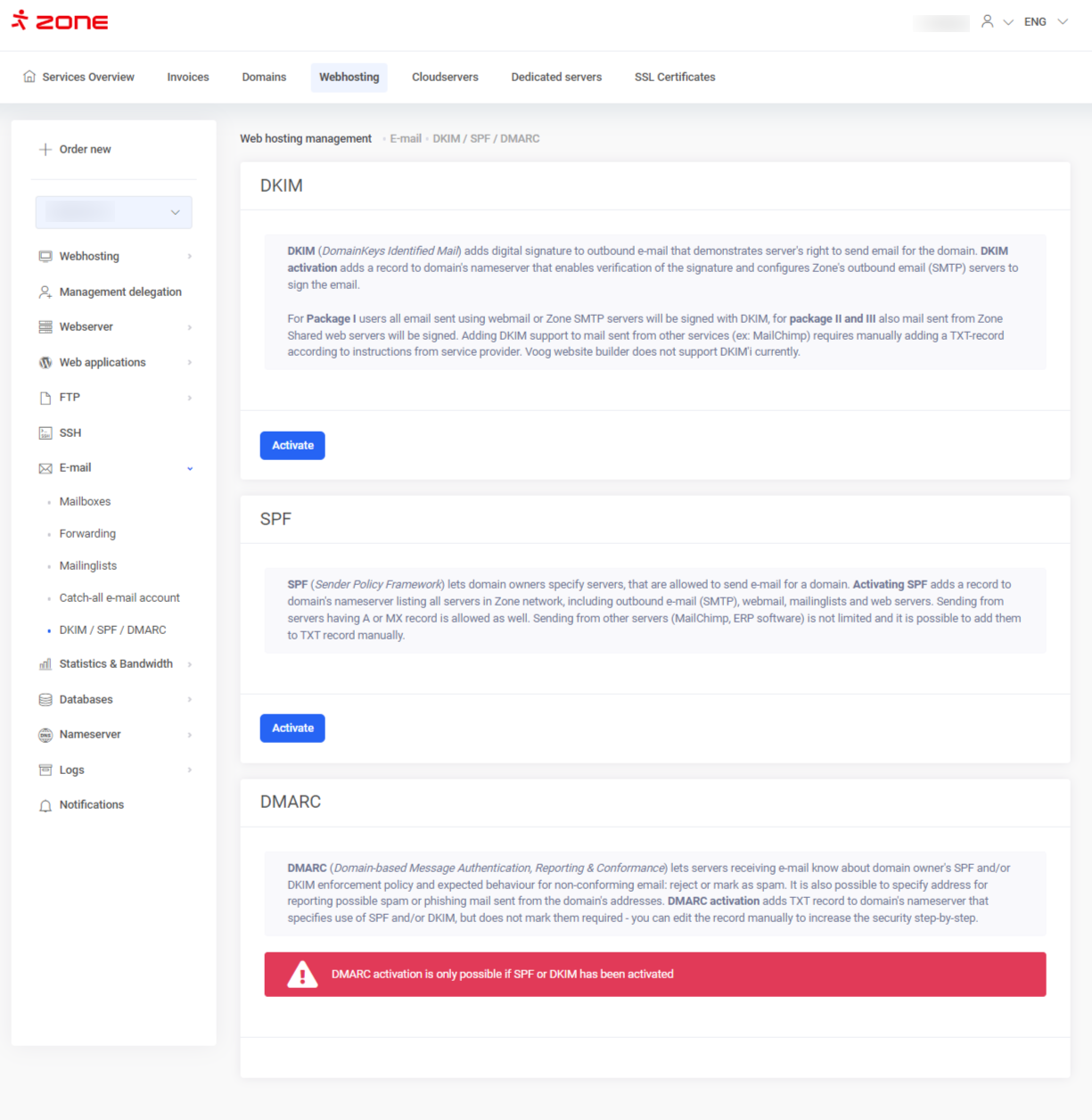
The above records can be turned on in the [**`My Zone`**](https://my.zone.lv/en/zid/server/auth?) control panel. On the Services overview page choose **`Webhosting`**, then **`E-mail`** from the left and [**`DKIM / SPF / DMARC`**](https://my.zone.lv/hosting/webhost/dns/records/mailsec) .
[](https://www.zone.lv/help/en/kb/spf-dkim-and-dmarc-how-to-prevent-your-emails-from-getting-into-spam/spf_akitveeri_eng/)
By clicking on the **`Activate`** button all three records can be activated and domain’s email credibility can be raised. Setup takes about 15 minutes.
**NB!** The prerequisite of activating these records, is that all the users send their emails via our webmail [https://webmail.ee](https://webmail.ee/) or via Zone outgoing server **smtp.zone.lv**.
If in addition to Zone SMTP server, you’re using other service provider’s services, the SPF record needs to be modified accordingly. When allowing DKIM, take into account that it only applies to the emails sent via Zone servers.
Additional information Definitely read our blog post about those three technologies (In Estonian):